Make a Halloween Loop: In the Hall of the Mountain King
Cihad Turhan5 min read
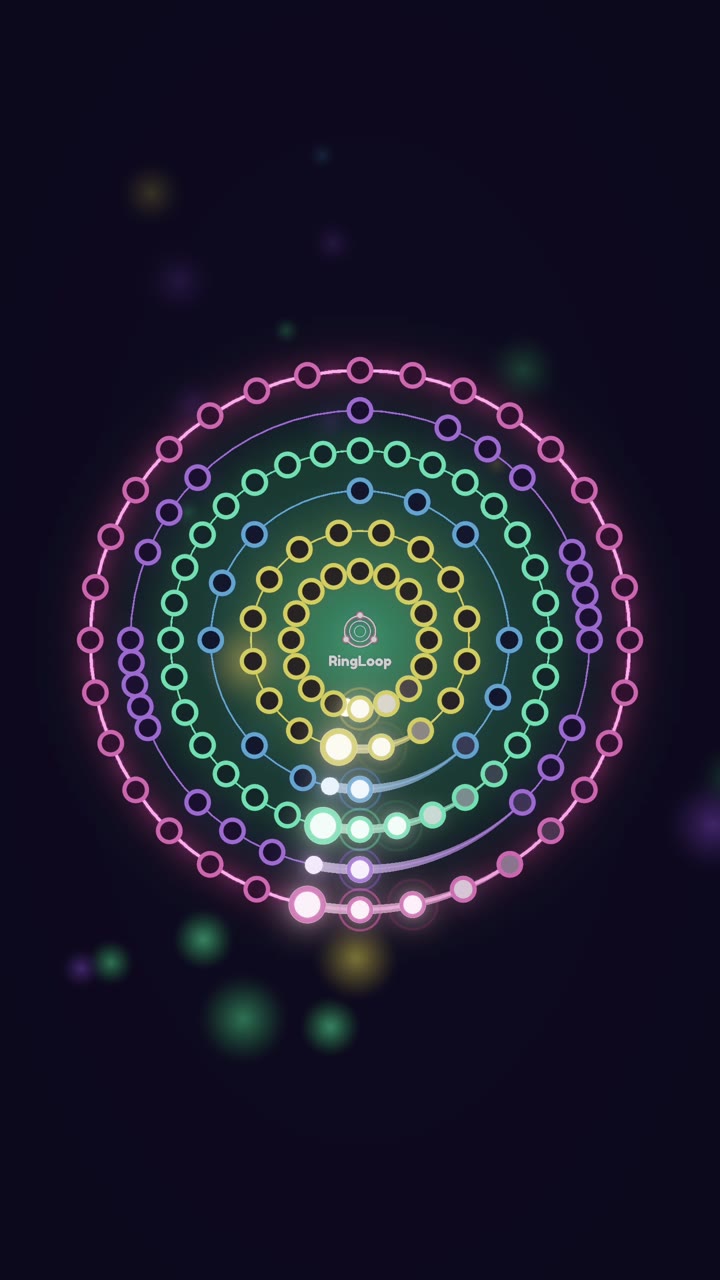
To make a Halloween loop of In the Hall of the Mountain King, import a public-domain MIDI of Grieg's piece into RingLoop's level editor, put the creeping bass motif on its own ring, and render a portrait clip with the perfect-loop option on. The piece is one short theme repeated again and again, getting faster and louder, so it already behaves like a loop before you touch it.
This guide covers why the piece works so well as a loop, where to get a MIDI, how to plan the rings, and how to caption and render a clip you can post before October 31.
Why this piece is a ready-made loop
In the Hall of the Mountain King is part of the incidental music Edvard Grieg wrote in 1875 for Henrik Ibsen's play Peer Gynt. In the scene, the hero sneaks into the hall of the troll king, and the music grows more frantic as the trolls close in.
Musically, it's almost nothing but repetition. A short, tiptoeing motif starts low and quiet. In the MIDI file used below, the bass line opens with the notes B, C#, D, E, F#, D, F#, the creeping figure most people recognize within a second. The same idea then repeats while more instruments join, the register climbs, and the tempo and volume rise until the ending crashes in.
That is the shape of a good loop video in one piece of music:
- An instantly recognizable hook in the first few notes.
- Repetition that makes each new layer easy to hear.
- A built-in build-up toward a loud, satisfying payoff.
- A spooky mood that fits October without any copyrighted Halloween theme.
Step 1: Get a public-domain MIDI
Grieg's composition is public domain, but every MIDI file is someone's arrangement, so check the license of the file you pick.
Marble Music (formerly Beat Bounce) hosts a free MIDI library with several versions of this piece, including Edvard_Grieg_-_In_The_Hall_Of_The_Mountain_King.mid. Once your ring version is done, import the same file into Marble Music and post a second clip where a glowing marble bounces on every note. Two very different videos from one MIDI file is an easy way to fill a Halloween week.
The file above is a two-track piano arrangement: an upper part and a bass part. It also keeps one steady tempo, so in your video the build comes from layers rather than speed. That matters because RingLoop's level editor makes one ring per MIDI track, so it imports as two rings before you split anything.
Step 2: Plan the rings
A two-ring level clears quickly, which is fine for a short clip. For a slower, creepier build, split the busier part across more rings in the editor. Here is one plan:
| Ring | Part | What it adds | Why it's in this position |
|---|---|---|---|
| 1 | Bass motif | The tiptoeing B, C#, D, E, F# figure | Recognizable on its own, so the hook lands at once |
| 2 | Upper part, lower notes | Harmony and the answer to the motif | Thickens the texture without giving away the climax |
| 3 | Upper part, top notes | The high, loud version of the theme | Saved for last so the final ring is the payoff |
To set it up:
- Import the MIDI in the level editor and confirm you see the two tracks as two rings.
- Split the dense upper part across rings so each ring adds something you can clearly hear.
- Adjust the mix per ring. Keep the bass motif present all the way through; it's the thread that ties every layer together.
- Test-play and tune the difficulty. The last section is the busiest, and fast repeated notes are hard to hit. If a run keeps breaking in the last section, ease the difficulty until you can clear it in one take.
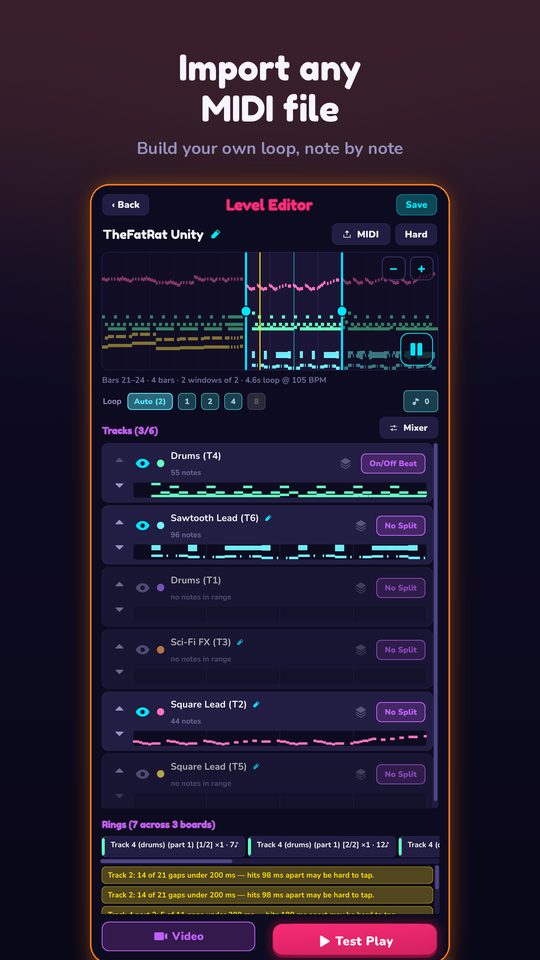
Every instrument is synthesised on your device from a real SoundFont, and everything works offline, so you can build and test the level anywhere.
Step 3: Render a perfect-loop portrait clip
When your run is clean, render it:
- Format: portrait for Reels, Shorts and TikTok.
- Resolution: anywhere from 720p up to 4K.
- Perfect loop: on. The loud ending flows straight back into the quiet opening, and that contrast makes a replay feel like the trolls are sneaking in all over again.
The video saves to your camera roll. RingLoop is free to play and shows ads to non-VIP players; VIP unlocks larger renders and watermark-free videos. For more detail on each render option, see how to turn a MIDI file into a looping music video.
Captions and on-screen text that fit the mood
The best line on screen makes a promise the last ring keeps. Try one of these:
- "Wait for the last ring."
- "The trolls are coming. Turn your sound on."
- "Grieg wrote this in 1875. It still works for Halloween."
- "One ring at a time: In the Hall of the Mountain King."
In the caption, name the piece and the composer, for example "In the Hall of the Mountain King, Edvard Grieg (Peer Gynt). Played ring by ring in RingLoop." People search for the title, and naming the composer answers the most common comment before anyone asks it.
Post it before Halloween
A seasonal clip needs time to be found, so don't wait until October 31. Use this checklist:
- Render and post the first version at least a week before Halloween.
- Post the Marble Music version of the same MIDI a few days later.
- Re-share your best one on October 31 with a new opening line.
- Keep the original MIDI and level so you can re-render next October.
Open RingLoop, import the MIDI, and give the trolls three rings to work with.
Frequently asked questions
- Who wrote In the Hall of the Mountain King?
- Edvard Grieg, the Norwegian composer. He wrote it in 1875 as part of his incidental music for Henrik Ibsen's play Peer Gynt.
- Can I use this song in my videos?
- The composition is in the public domain. Specific MIDI files, arrangements and recordings can have their own licenses, so check the license of the file you use and each platform's music policy.
Get RingLoop
Free to play on iPhone, iPad and Android. Import your MIDI, clear the rings and render the loop as a video.