Let Your Followers Pick the Next Loop: Comment-Driven Series
Cihad Turhan5 min read
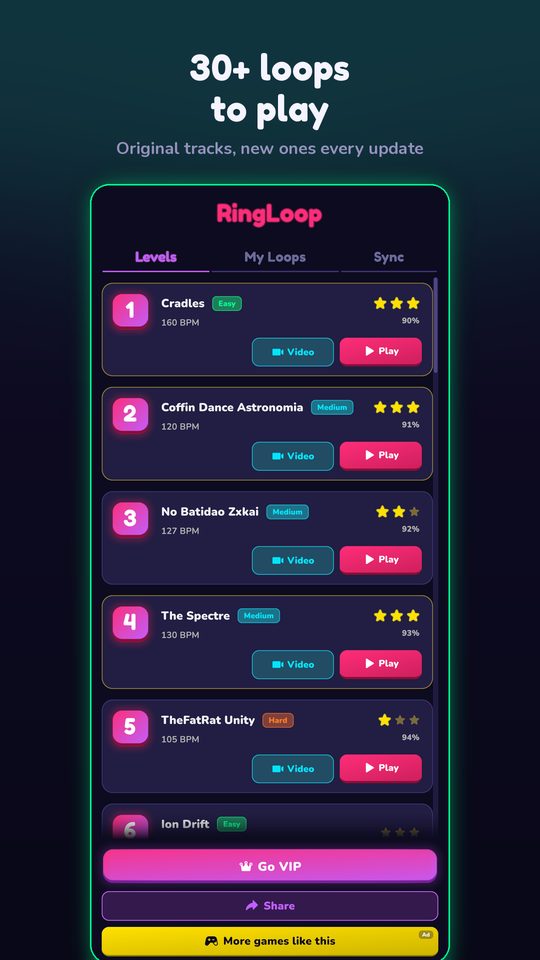
A comment-driven series works like this: you end each video by asking which public-domain piece followers want next, build the most-requested one as a RingLoop level, and post the result as a video reply to the comment that asked for it. The commenter gets a direct answer, other viewers see that requests actually get made, and you never run out of ideas.
It also solves the hardest part of posting regularly, which is deciding what to make. This guide gives you the setup, a four-week schedule, pinned-comment templates, and a polite way to deal with requests you can't take.
Why reply videos suit this format
Major short-video platforms let you answer a comment with a video and show the original comment as a sticker on screen. TikTok describes the flow in its reply-to-comments tutorial, and YouTube explains replying to comments with a Short. Instagram added the same idea for Reels in 2021, as TechCrunch reported.
The sticker matters. It tells a new viewer, in the first second, that this clip exists because someone asked for it. That framing gives a series a reason to keep going, and gives viewers a reason to leave their own request.
Set up the series in one sitting
- Pick a narrow lane. "Classical pieces as neon loops" is easier to follow than "any song". A tight lane also keeps requests inside public-domain music.
- Build a short list of ready MIDI files. Collect five to ten public-domain pieces in advance, for example from the Mutopia Project, which publishes public-domain scores and MIDI files. Check each file's license, because a public-domain composition doesn't make every arrangement free to use.
- Prefer multi-track files. RingLoop creates one ring per MIDI track, so a file with separate parts gives you a real build-up. The guide to turning a MIDI file into a looping music video covers the import and render steps.
- Name the series. A short, repeatable title such as "You pick, I loop #1" goes in the on-screen text of every episode.
- Decide your render settings once. Portrait for Reels, Shorts and TikTok, with the perfect loop option on, so every episode looks consistent.
A four-week schedule
| Week | Post | Ask in the caption |
|---|---|---|
| 1 | Episode 1: a piece you chose, built ring by ring | "Which classical piece should I loop next? Top comment wins." |
| 2 | Video reply to the top request from week 1 | "Next round: vote between these two in the comments." |
| 3 | Video reply to the winner, plus a short clip of the hardest ring | "Name a piece you want to hear built layer by layer." |
| 4 | Reply to the top request, then a recap of the month's three requests in one landscape video for YouTube | "Next month's theme: you decide." |
Two posts a week is enough for this. One is the request, and the other can be a second angle on the same level, such as only the final ring or a "first try" attempt.
Use the RingLoop level editor to make each request fit the format. You can adjust the mix per ring so the melody stands out, split dense parts across rings, and test-play and tune the difficulty so the run looks clean on camera.
Pinned-comment templates
Pin one comment per video so the call to action stays visible. Rotate between these:
- "Reply with a classical piece and I'll build it ring by ring. Most likes by Friday wins."
- "Two options for next week: Grieg or Beethoven? Vote with a reply."
- "This one was requested by a viewer. Want yours next? Drop it below."
- "Public-domain and folk tunes only, so the videos can stay up."
Then post the result as a video reply, using the platform's reply flow and your render from the camera roll. Mention the requester's comment in your on-screen text, such as "You asked for Pachelbel's Canon", so the context survives when the video is shared.
Handling requests you can't use
You will get requests for current pop songs, film themes and game soundtracks. Covers of copyrighted songs carry copyright risk on every platform, so the simplest rule is to stick to public-domain and traditional music and say so kindly. Check each platform's music policy if you are unsure.
A reply that keeps the thread friendly:
"Love that one, but I only build public-domain music so the videos stay up. If you like its energy, try In the Hall of the Mountain King. Want me to do that instead?"
Offering a near match turns a "no" into another episode. Moody film music often maps to Grieg or Mussorgsky, and upbeat pop requests can map to a Mozart allegro or a traditional folk tune.
Add a learning follow-up
Once a request clearly wins, give it a second life. Note Bounce lands bouncing balls on real sheet music, and its MIDI import lets you build a level from the same file you used in RingLoop. A "now learn to read it" follow-up shows the most-requested melody as notation, which gives viewers something new instead of a repeat.
Start the first round
Post episode one this week with a piece you already have as a multi-track MIDI, put "Which piece next?" in the caption, and pin the comment template. When the votes come in, build the winner, reply to the comment with the video, and ask again. Keep a simple list of every request you receive, and you will have a backlog of episodes for months.
Frequently asked questions
- What are reply-to-comment videos?
- They are videos made in response to a specific comment, which show that comment as a sticker on screen. TikTok, Instagram Reels and YouTube Shorts all offer a version of this feature for comments on your own content.
- How do I handle song requests I can't use?
- Thank the person, explain in one line that you only build public-domain or traditional music, and suggest a classical piece with a similar mood. That keeps the thread friendly and the series safe from copyright problems.

Get RingLoop
Free to play on iPhone, iPad and Android. Import your MIDI, clear the rings and render the loop as a video.