Carol of the Bells as a Christmas Loop Video
Cihad Turhan5 min read
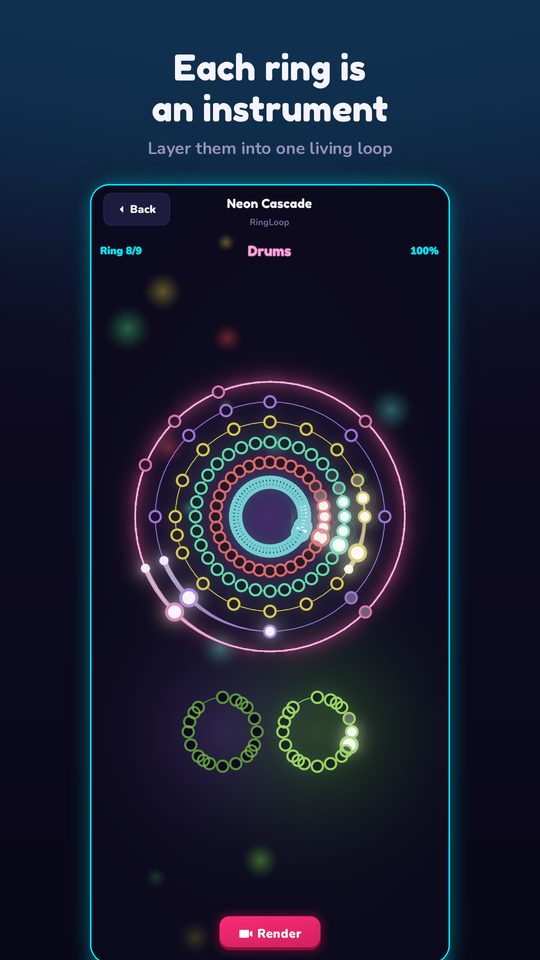
To make a Carol of the Bells loop video, import an instrumental MIDI of the piece into RingLoop's level editor, put the four-note bell figure on the first ring, and layer the other parts on top before rendering a portrait clip with the perfect-loop option on. The piece keeps coming back to that short figure, so it already behaves like a loop before you edit anything.
From a Ukrainian New Year song to a Christmas staple
The tune most people call Carol of the Bells started life as Shchedryk, a choral piece by the Ukrainian composer Mykola Leontovych. He based it on a Ukrainian New Year song in which a swallow flies into a household and sings about the good year to come. Leontovych reworked his setting over many years, and a 1914 version is the one most often cited.
The Ukrainian National Chorus sang Shchedryk at Carnegie Hall in 1922. In 1936, the American composer Peter J. Wilhousky wrote new English lyrics about ringing bells, and the piece became a Christmas favorite in the US.
That history is why the copyright line is clear: Leontovych's melody is in the public domain, but the English lyrics are not. An instrumental loop sidesteps the lyrics entirely, and it suits RingLoop anyway, since every instrument is synthesised on the device from a real SoundFont.
Why the bell figure makes a perfect loop
The whole piece is built on an ostinato, a short figure that repeats without stopping. In Shchedryk it's four notes: a long note, a quick step down and back, then a step down, all in 3/4 time. It sounds like a bell swinging back and forth, which is where the English title came from.
For a loop video, that gives you three things:
- A hook in the first second. Most viewers recognize the figure before the first bar ends.
- A steady base to build on. Each new part lands on top of the same four notes, so every added layer is easy to hear.
- A seamless repeat. In the MIDI below, the last run climbs to F, the same note the bell figure starts on, so a perfect-loop render flows back into bar 1 without a jolt.
A bar-by-bar map of the MIDI
Marble Music (formerly Beat Bounce) hosts a free MIDI library that includes Carol_of_the_Bells.mid, and it's a natural partner for this project. Import the same file there and a glowing marble bounces on every note of the bell figure, which gives you a second December clip from one download.
The file is a short arrangement in D minor with two piano tracks, marked at 180 beats per minute in 3/4 time. It runs 36 bars, a little over half a minute, which is a comfortable length for Reels and Shorts. In this key, the bell figure is F, E, F, D, followed by a low A that leads into the next bar.
| Bars | Track 1 (main piano) | Track 2 (second piano) |
|---|---|---|
| 1–4 | The bell figure alone | Silent |
| 5–8 | The figure moves up a third | Enters with a repeating harmony line |
| 9–12 | A falling melody | Held chords |
| 13–16 | Two rising scale runs | Single held notes |
| 17–24 | The bell figure an octave higher | Silent |
| 25–28 | A broken pattern on D and A | Silent |
| 29–32 | The falling melody returns | Held chords and a low D |
| 33–36 | The rising runs close the piece | Single held notes |
The map shows the catch: almost everything happens in track 1. Track 2 has only about 40 notes, so a straight import gives you one busy ring and one very sparse ring.
Build the level in three rings
RingLoop's level editor makes one ring per MIDI track, and it lets you split dense parts across rings. Use that to give the bell figure its own spotlight:
- Import the MIDI and check that the two tracks show up as two rings.
- Split track 1 so the bell figure (bars 1–8 and 17–24) sits on one ring and the melody, runs and broken pattern sit on another.
- Order the rings so the build tells the story:
- Ring 1: the bell figure. It's recognizable on its own, so the hook lands at once.
- Ring 2: track 2's harmony. It fills in the chords without giving away the tune.
- Ring 3: the falling melody and rising runs. Saved for last, it's the payoff.
- Adjust the mix per ring. Keep the bell figure clearly audible on every pass. It's the thread viewers follow from start to finish.
- Test-play and tune the difficulty. At this tempo the quick steps in the figure come fast, and the runs in bars 13–16 and 33–36 are the hardest part. If a run keeps breaking there, ease the difficulty until you can clear it in one take.
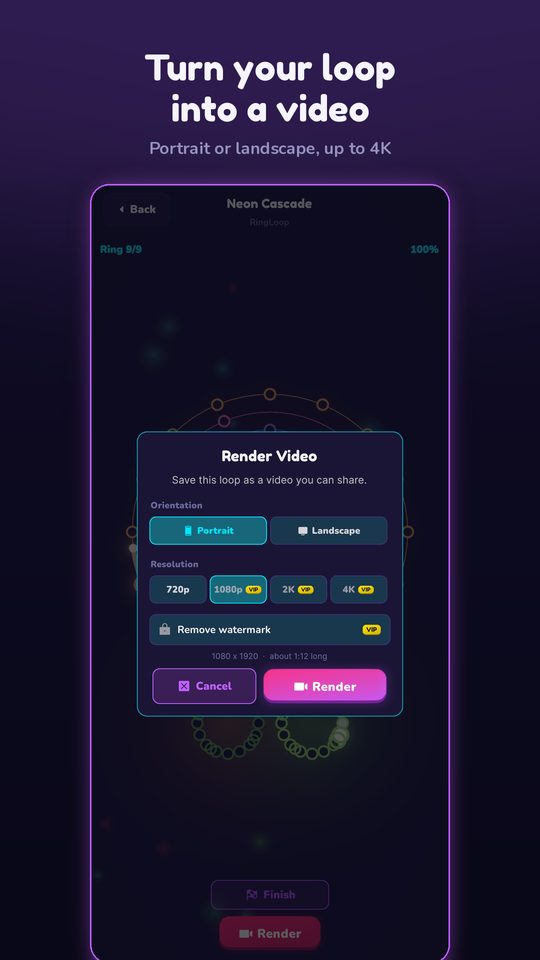
When the run is clean, render in portrait for Reels, Shorts and TikTok, at anything from 720p up to 4K, with the perfect-loop option on. The video saves to your camera roll. RingLoop is free to play and shows ads to non-VIP players, and VIP unlocks larger renders and watermark-free videos. For a full walkthrough of each render setting, see how to turn a MIDI file into a looping music video.
A December posting plan
A seasonal clip needs time to be found, so start early and spread it out:
- Late November: post the three-ring build-up with on-screen text such as "Wait for the last ring."
- Early December: post the marble version of the same MIDI, captioned "Same song, different instrument: Carol of the Bells as a bouncing marble."
- Mid-December: post a history clip with the text "This Christmas classic started as a Ukrainian New Year song."
- Before the holidays: re-share your best performer with a new opening line, and keep the level saved to re-render next year.
In every caption, name the piece and the composer, for example "Carol of the Bells (Shchedryk), Mykola Leontovych. Instrumental, played ring by ring." Leave the English lyrics out of captions and on-screen text, too.
Make your Christmas loop
Download the MIDI, open RingLoop, and give the bell figure the first ring. By the third ring, the whole carol plays.
Frequently asked questions
- Is Carol of the Bells Ukrainian?
- Yes. The melody comes from Shchedryk, a choral setting of a Ukrainian New Year song by the composer Mykola Leontovych. It reached the US through a 1922 Carnegie Hall concert, and the English Christmas lyrics were added later, in 1936.
- Is Carol of the Bells public domain?
- Leontovych's melody is in the public domain, but Peter Wilhousky's English lyrics are not. Keep your video instrumental, and check the license of the specific MIDI file or recording you use.
Get RingLoop
Free to play on iPhone, iPad and Android. Import your MIDI, clear the rings and render the loop as a video.