Captions and Hashtags for Music Loop Videos: What Helps
Cihad Turhan5 min read
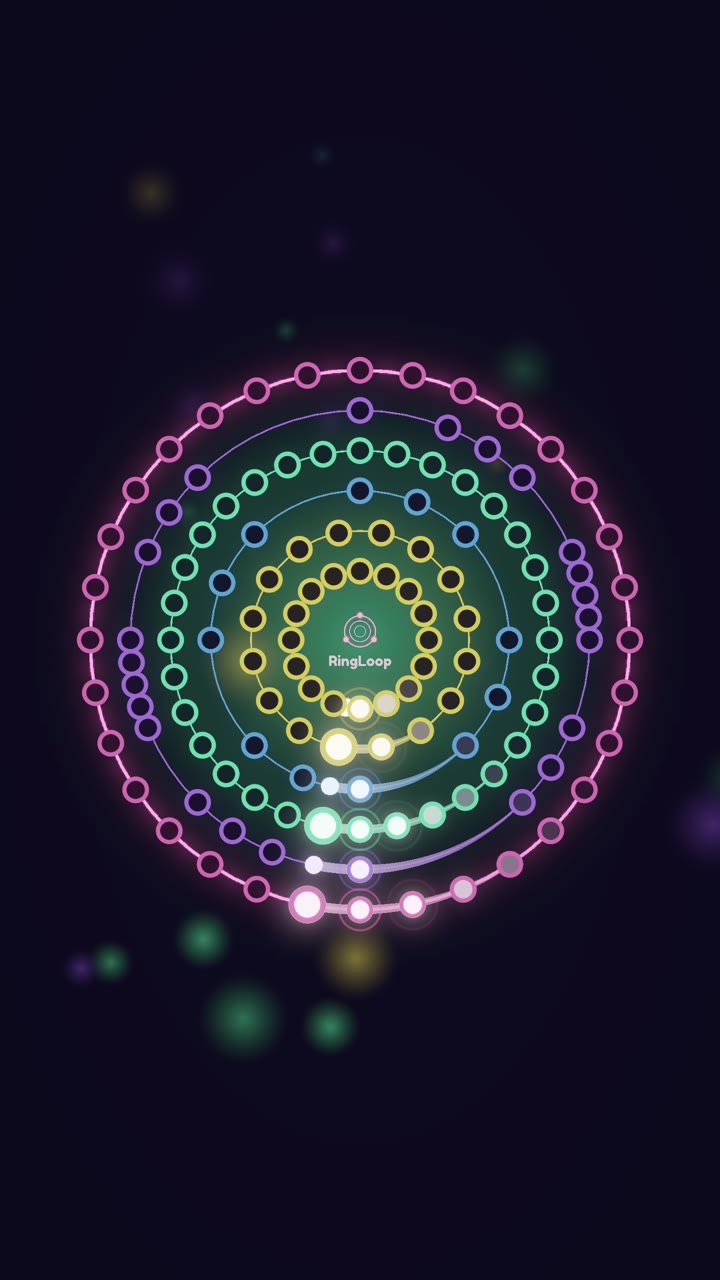
The captions that help a music loop video are the ones that name what is in it: the piece and composer, the format, such as "layered loop" or "built ring by ring", and the genre. Add a few specific hashtags within each platform's limits, and put a short line of on-screen text in the video itself, because many people scroll with the sound off.
Generic captions such as "vibes" or "wait for it" with a wall of trending tags tell neither viewers nor the platform what the clip contains. This guide covers what each platform says about captions and hashtags, a formula for music loop captions, and ten examples you can adapt.
What the platforms actually say
Skip the folklore and start from the official sources.
- TikTok. In its explanation of how the For You feed recommends videos, TikTok lists "video information", including captions, sounds and hashtags, among the factors it considers. That is a reason to describe the video accurately, not a promise of reach.
- YouTube. Its hashtag policy says that if a video has more than 60 hashtags, YouTube ignores all of them, and that over-tagging can get a video removed from search. Misleading or irrelevant hashtags break the same policy.
- Instagram. In December 2025, Instagram capped every post and Reel at five hashtags, as Social Media Today reported, and encouraged fewer, more targeted tags.
The common thread: specific and accurate beats long and generic.
The caption formula for loop videos
Use four parts, in this order. Leave out any that don't apply.
- Hook or stakes (optional). A short reason to keep watching, such as "wait for the last ring".
- What it is. Piece and composer, or your track name. "Grieg, In the Hall of the Mountain King."
- The format. "Built one instrument at a time" or "every ring adds a layer". This is what makes your clip different from a plain recording.
- Two to five hashtags. One for the piece or composer, one for the genre or style, one for the format, and optionally one for the app or game.
Keep the first line readable on its own, since platforms often cut captions off after a line or two.
Choosing the hashtags
Think in categories rather than copying a trending list.
| Category | Examples | Why |
|---|---|---|
| Piece or composer | #grieg, #beethoven, #canonind | Matches people searching for that music |
| Genre or style | #classicalmusic, #synthwave, #lofi, #chiptune | Matches the sound of your version |
| Format | #musicloop, #satisfyingvideo, #rhythmgame | Describes what viewers will see |
| App | #ringloop | Helps people who want to try it find the game |
Pick one or two from each relevant row and stop. On Instagram you have five slots in total, so the piece, the genre and the format usually come first.
On-screen text for silent viewers
The caption sits below the video; the on-screen text is what people see while it plays. Keep it to one line, put it in the top third so the platform's buttons and caption don't cover it, and make it say something the video alone doesn't, such as the name of the piece, the stakes, or "sound on".
For RingLoop clips, a simple pattern works: the title of the piece at the top for the full run, and "last ring" appearing just before the final instrument joins. The guide to turning a MIDI file into a looping music video covers how to render a clip that is ready for this kind of text.
10 sample captions
Swap in your own piece, genre and tags.
- "Wait for the last ring. Beethoven's Für Elise, built one instrument at a time. #beethoven #classicalmusic #musicloop #ringloop"
- "Grieg, In the Hall of the Mountain King, but every ring adds a layer. #grieg #halloweenmusic #rhythmgame"
- "Pachelbel's Canon is a loop by design. Here are all four voices entering ring by ring. #canonind #pachelbel #musicloop"
- "My new track, rebuilt note by note in a rhythm game. Full version in bio. #newmusic #synthwave #ringloop"
- "Lo-fi loop, five layers, one run. Which layer is your favorite? #lofi #musicloop #satisfyingvideo"
- "Sound on. The bass comes in on ring two. #chiptune #rhythmgame #musicloop"
- "First try vs tenth try on the hardest ring. #rhythmgame #gamingchallenge #ringloop"
- "You asked for Bach, so here is Bach as a neon loop. Next request? #bach #classicalmusic #musicloop"
- "Only the last ring: the full mix, no build-up. #satisfyingvideo #musicloop #classicalmusic"
- "Same melody, two genres. House or lo-fi? #house #lofi #musicloop"
Each one names the music, the format, or both, and asks at most one question.
The same formula works for bouncing-ball clips. If you also post with Marble Music (formerly Beat Bounce), keep the piece and genre tags and change only the format line, for example "a marble on every note" in place of "built ring by ring". That way both series are searchable by the same music, and viewers can tell at a glance which style they are about to watch.
Caption checklist before you post
- The piece or track and composer or artist are named in plain words.
- The format is described in a short phrase.
- Two to five hashtags, all of them accurate to this video.
- One line of on-screen text in the top third.
- No promises you can't keep, such as "you won't believe the ending".
Write your next caption
Open the last loop video you posted and rewrite its caption with the four-part formula and the hashtag table. Use that version on your next upload, and keep a note of the captions you use so you can repeat the ones that match how your audience searches. Ready for the next clip? Start a level in RingLoop and caption it before you render.
Frequently asked questions
- How many hashtags should I use?
- Follow each platform's own rules. Instagram now caps posts and Reels at five hashtags, and YouTube ignores every hashtag on a video that has more than 60. A few specific tags that describe the video beat a long generic list everywhere.
- Do captions help videos get found in search?
- They help platforms understand what a video is about. TikTok, for example, lists captions, sounds and hashtags among the video information its recommendation system considers, so naming the song and format in plain words gives your clip a better chance of matching what people search for.
Get RingLoop
Free to play on iPhone, iPad and Android. Import your MIDI, clear the rings and render the loop as a video.