Canon in D as a Layered Loop: Pachelbel Ring by Ring
Cihad Turhan5 min read
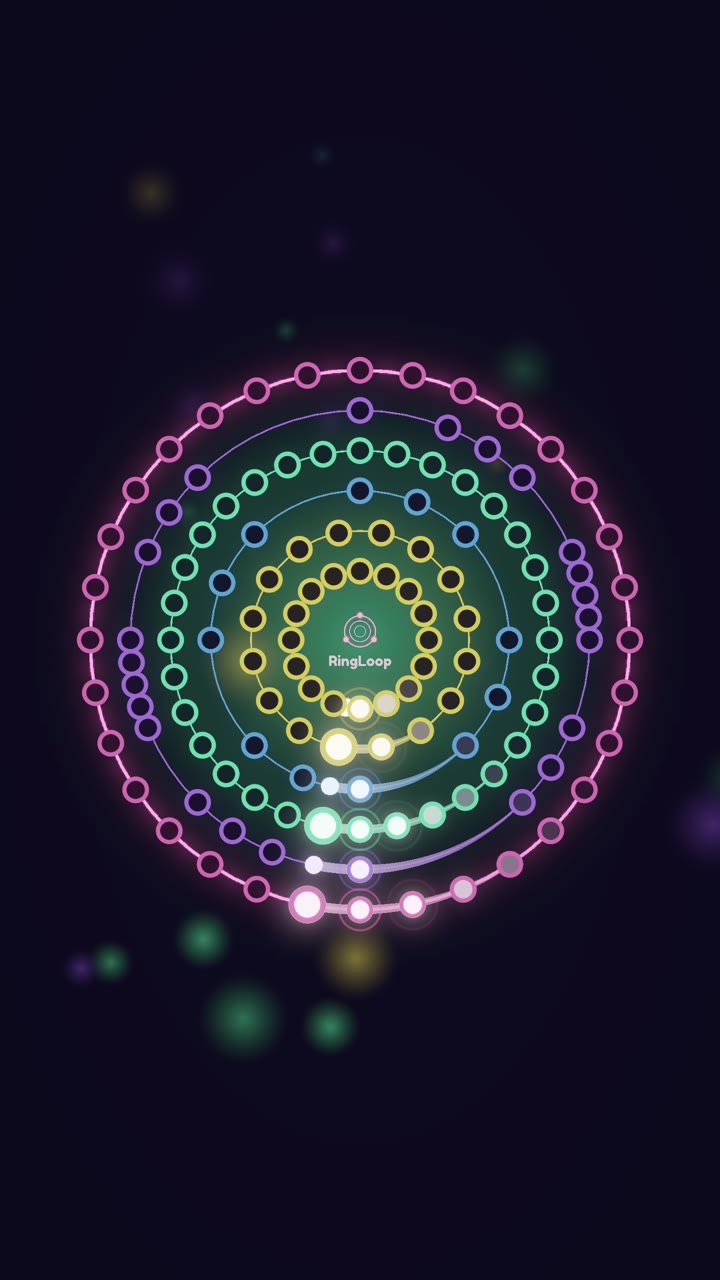
Pachelbel's Canon in D is a layered loop by design: a bass line repeats the same short figure the whole way through, and three violins enter one after another with the same melody until all four parts sound together. In RingLoop, that means one ring per voice, starting with the bass, so the full canon arrives exactly when you clear the last ring.
Most layered songs need some arranging before they work as a build-up. The Canon already is one. This post explains how the piece is put together, then gives a ring-by-ring plan for turning a multi-track MIDI of it into a level and a clip.
How the canon is built
According to Wikipedia's article on the piece, it was originally scored for three violins and basso continuo, and it is a true canon at the unison in three parts over a ground bass. Its composition date isn't known; suggested dates range from 1680 to 1706.
Two ideas do all the work:
- The ground bass. The bass plays an eight-note figure, D, A, B, F sharp, G, D, G, A, and repeats it from start to finish. It implies a progression of eight chords, and the article notes that some writers count each of its 28 statements as a separate variation.
- The canon at the unison. The violins all play the same melody at the same pitch, but each one starts later than the one before. Once all three are in, you hear three different moments of one melody stacked on top of each other.
| Part | When it enters | Role |
|---|---|---|
| Basso continuo | From the first note | The repeating foundation |
| Violin 1 | After the bass has played its figure | Leads the melody |
| Violin 2 | One bass statement after violin 1 | Echoes violin 1 |
| Violin 3 | One bass statement after violin 2 | Completes the texture |
Why it maps onto rings
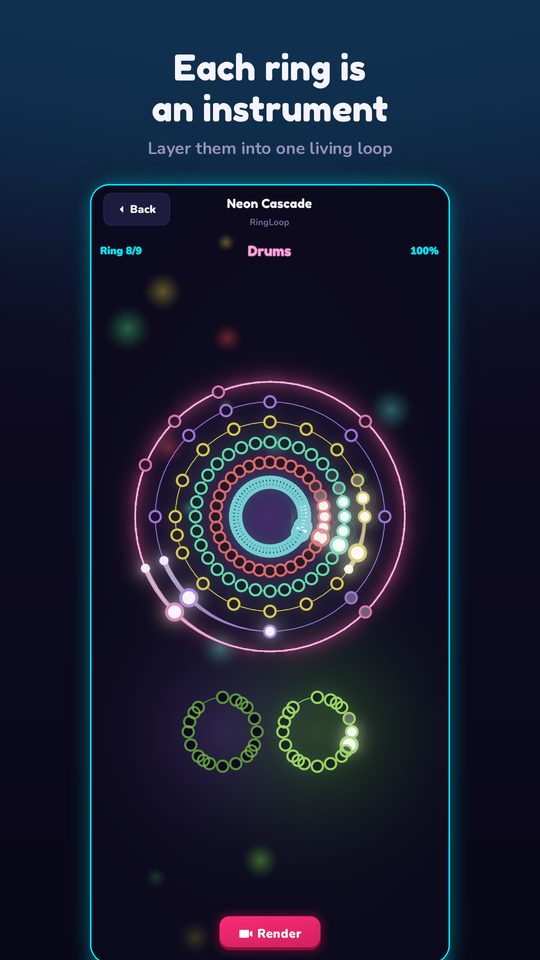
In RingLoop, every song is a set of concentric rings, and clearing a ring adds its instrument to the mix. The Canon's four parts line up with that one to one. The bass is a loop that never changes, which is the ideal first ring: it grooves on its own and tells viewers that more is coming. Each violin then adds a layer the ear can follow, and the last ring completes the full texture Pachelbel wrote.
There is one twist worth planning for. Because all three violins play the same melody, they can sound alike once they share the same instrument sound. That is where the mix settings help.
Get a MIDI with separate voices
RingLoop's level editor imports MIDI files and makes one ring per track, so the track layout of your file decides how many rings you get. For this plan you want four tracks: bass plus three violins.
- Four-part versions. Look for a file arranged for strings with each part on its own track. The Mutopia Project and IMSLP host public-domain scores and, on Mutopia, MIDI files. A public-domain composition doesn't make every MIDI arrangement public domain, so check each file's license.
- Enter it yourself. The four parts are short and repetitive, so copying them from a public-domain score into notation software and exporting a MIDI is a realistic weekend project.
- Piano arrangements. Marble Music's MIDI library includes a piano arrangement of Canon in D. It has two note tracks, so it imports as two rings rather than four. That still works for a short clip, and you can split dense parts across rings in the editor.
Before importing, open the file in any MIDI editor and confirm the track count matches what you expect.
The ring-by-ring plan
With a four-track file, here is how the level and the clip unfold:
- Ring 1: the bass. Viewers hear the eight-note figure alone. Keep this ring easy and steady; it sets the tempo for everything else.
- Ring 2: violin 1. The melody appears for the first time. This is the moment many listeners recognize the piece, so make sure this ring is loud enough to stand out.
- Ring 3: violin 2. The same melody enters later, so the two lines now overlap. Pull this ring slightly lower in the mix so the first violin stays clear.
- Ring 4: violin 3. The full canon. Every part is playing, and the clip has its payoff.
Tune the level and the clip
The Canon is long. Its 28 bass statements add up to far more music than most short clips need. A few adjustments help:
- Shorten the file before importing. In a DAW or notation program, keep only the opening section through a few statements after violin 3 enters, and end on the last note of a bass statement.
- Adjust the mix per ring. Give each violin a slightly different level so the entries stay audible even though the melody is the same.
- Split dense parts across rings. Later variations get busy. If one violin ring becomes much harder than the rest, spread it over more rings.
- Test-play and tune the difficulty. The violin lines grow busier in later variations while the bass stays the same, so check that the last ring is challenging but fair.
- Render with perfect loop on. Because the bass returns to the same figure, a clip that ends at the end of a statement flows naturally back into the start.
A sample caption: "Pachelbel's Canon, built one voice at a time. Ring 1 is the bass he repeats 28 times." On screen, try "Wait for violin 3."
To see the same structure on paper, try Note Bounce. Its bouncing balls land on real sheet music, and its MIDI import lets you build custom levels, so you can read the violin melody as notation and see the phrase each new voice picks up. It trains your note reading and rhythm along the way.
Try it
Find or build a four-track Canon MIDI, import it, and clear the bass first. By the fourth ring, you'll hear the whole canon you built. For the general MIDI-to-video steps, see how to turn a MIDI file into a looping music video, and get the app from the RingLoop home page.
Frequently asked questions
- What is a canon in music?
- A canon is a piece in which one voice plays a melody and other voices enter later with the same melody, so the parts overlap. In Pachelbel's Canon, three violins play the same line at staggered entry points over a repeating bass.
- Why does Canon in D sound so familiar?
- Its chord progression has been reused in a great many pop songs since the late 1960s, and the piece itself became widely popular after a 1968 recording. Even people who don't know the title have usually heard the progression somewhere.
Get RingLoop
Free to play on iPhone, iPad and Android. Import your MIDI, clear the rings and render the loop as a video.