Bach's Prelude in C as a Loop: One Pattern, 35 Bars
Cihad Turhan4 min read
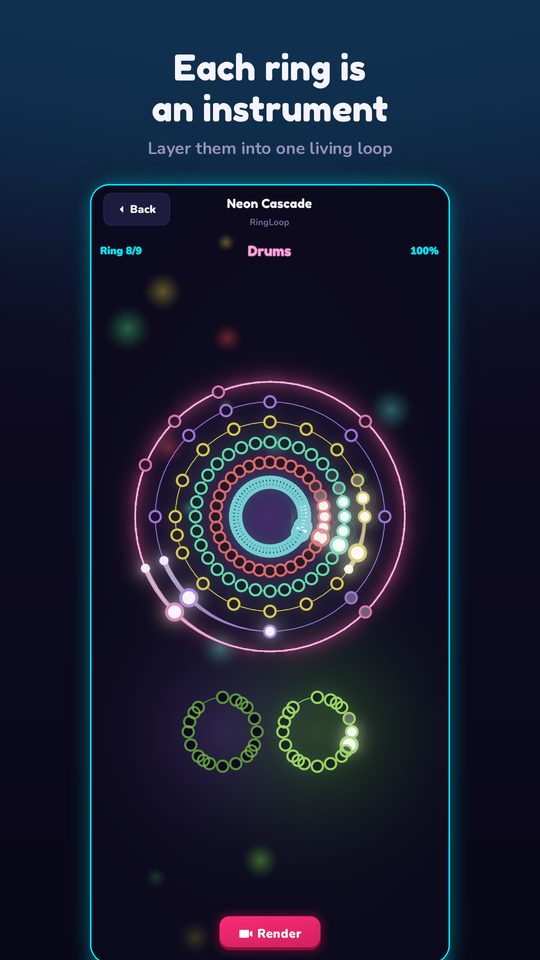
Bach's Prelude in C major loops almost by itself: nearly every one of its 35 bars takes a single chord and plays it as the same broken-chord pattern, repeated, before moving to the next chord. Split the low sustained notes and the rippling upper notes onto separate MIDI tracks, import them into RingLoop as two rings, and add a third ring with Gounod's famous melody if you want a build-up with a payoff.
It's a good piece for anyone who wants to hear how a simple, repeating pattern can carry an entire composition through its harmony alone.
The piece
According to Wikipedia's article on BWV 846, the Prelude in C major opens the first book of The Well-Tempered Clavier, Bach's collection of preludes and fugues in every key, dated 1722. The prelude is 35 bars long and consists mostly of broken chords: the left hand plays and holds the bottom two notes of each chord while the right hand plays and repeats the top three.
The music is in the public domain, and scores are available on IMSLP.
Why it works as a loop
- One pattern, every bar. Your ear learns the shape in the first bar, then follows the chords as they change underneath it.
- The harmony is the melody. There's no separate tune; the interest comes from how each new chord colors the same rippling pattern.
- A clear home. The piece starts and ends on C major, so a section that returns to C can loop seamlessly.
That makes it a great listening exercise in chord progressions: once the pattern is familiar, every chord change stands out.
The Gounod connection
In 1853, Charles Gounod published a melody written to sit on top of Bach's prelude, with the prelude barely changed underneath. As Wikipedia's Ave Maria (Bach/Gounod) article explains, that combination later became the well-known Ave Maria setting. Both Bach's prelude and Gounod's melody are in the public domain.
For a loop video, Gounod's tune gives you something Bach's original doesn't: a melody to arrive as the final layer.
Plan your rings
RingLoop creates one ring per MIDI track, and each cleared ring adds its instrument to the mix, like a loop station, until the full piece plays.
Option A: Bach only (two rings)
| Ring | Part | What you hear |
|---|---|---|
| 1 | Left hand: two low held notes per chord | The harmonic foundation, slow and sparse |
| 2 | Right hand: the repeating three-note figure | The famous rippling pattern |
Option B: Bach plus Gounod (three rings)
| Ring | Part | What you hear |
|---|---|---|
| 1 | Left hand | The foundation |
| 2 | Right hand pattern | The prelude, complete |
| 3 | Gounod's melody | A singing line arriving on top |
Option B turns the piece into a true build-up, with a melody as the payoff.
Prepare the MIDI
- Find a clean file. The Mutopia Project publishes public-domain scores and MIDI, and the Marble Music MIDI library hosts more than 1,100 free MIDI files. Check each file's license.
- Separate the hands. If the file has both hands on one track, split it by pitch in a notation app or DAW: the bottom two notes of each pattern to one track, the top three to another.
- Add Gounod's melody (optional) on a third track, from a public-domain score or entered by hand.
- Trim for a short clip. The opening bars, ending on a return to C major, make a natural loop.
Build and render
Import the file in RingLoop's level editor and check the rings. Then:
- Adjust the mix per ring. Keep the left hand warm but soft, and let the right-hand pattern flow evenly. If you added Gounod's melody, bring it slightly forward.
- Split dense parts across rings if the continuous right-hand pattern is tiring to play.
- Test-play and tune the difficulty so an even, unhurried run is possible.
The guide to turning a MIDI file into a looping music video walks through importing and rendering.
Render in portrait or landscape, from 720p up to 4K, with the perfect loop option on so the return to C major flows straight back into the opening. Videos save to your camera roll, and VIP unlocks larger renders and watermark-free videos.
Caption ideas:
- "One pattern, 35 bars, 1722. Bach's Prelude in C, ring by ring."
- "Bach first, then Gounod's melody on ring three."
Because the same shape repeats bar after bar, this prelude is also one of the clearest pieces for learning to read broken chords on the staff. Note Bounce lands bouncing balls on real sheet music and imports MIDI to build custom levels, so you can watch the repeating pattern on the page and notice which note changes with each new chord.
Try it this week
Split a MIDI of the prelude into left and right hands, import it, and play the two-ring version. Then add Gounod's melody as a third ring and compare. Hearing the same Bach pattern with and without a tune on top shows how much a single repeating figure can do on its own.
Frequently asked questions
- Is Bach's Prelude in C the same as Ave Maria?
- Not quite. Charles Gounod wrote a new melody over Bach's prelude and published it in 1853; that combination, later sung to the Ave Maria text, is known as the Bach/Gounod Ave Maria. Bach's original prelude has no separate melody.
- Is the Prelude in C hard to play?
- It is one of the more approachable Bach pieces, because the same hand pattern repeats in every bar. The challenge is keeping it even and smooth while the chords change.

Get RingLoop
Free to play on iPhone, iPad and Android. Import your MIDI, clear the rings and render the loop as a video.